
Avadhāna
अवधान · Sanskrit for attention, concentration
Cultivating your attention, one thing at a time.
A calm, full-screen launcher for your Mac that shows only the apps and websites you choose, one at a time, with everything else out of the way.
Version 0.1.0 · macOS 14 Sonoma or later · Apple silicon and Intel
Free, open source, and 100% auditable code. No ads, no tracking.
Why Avadhāna
A computer puts the entire world one click away. Every app, every site, every notification, from anything and anywhere, can reach you. Each one competes for your attention, and it's easy to drift from what you sat down to do.
What if you could choose more intentionally what reaches you, and what you put your attention on?
That's what Avadhāna is for.
Key features
Only what you choose
- Pick your own apps and websites to show
- Anything else opened from the Dock, Spotlight or a link is closed
- Apps you already had open are hidden, never quit
One thing at a time
- Each app or site fills the screen
- Dock and menu bar step aside
- Home and Back always one click away
Websites without the detours
- No address bar or tabs
- Works with Safari, Firefox or Chrome
- Your browser settings stay untouched
Keyboard friendly
- Just start typing to search
- Arrow keys to move, Return to open
- Shortcuts you can change or turn off
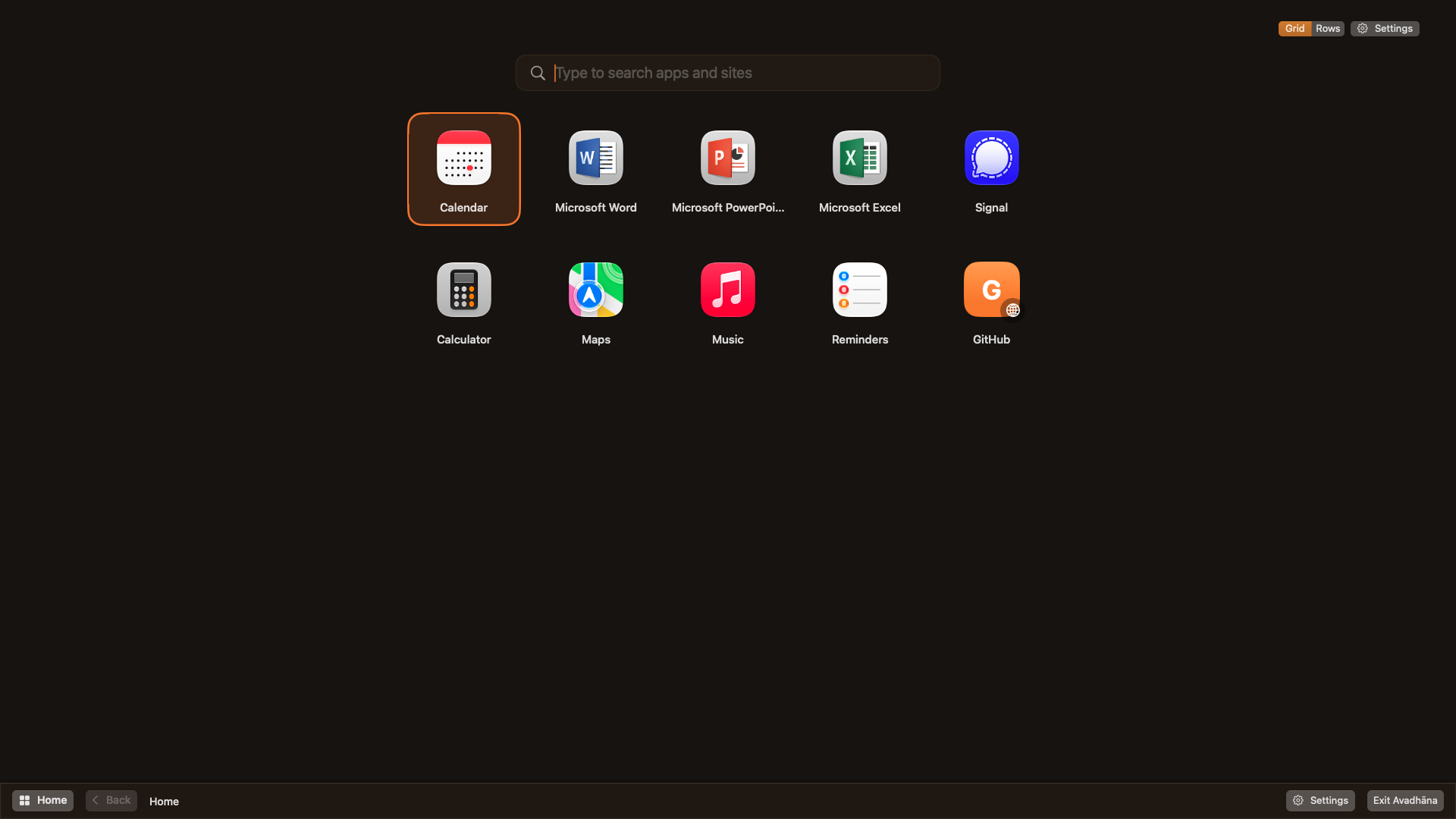
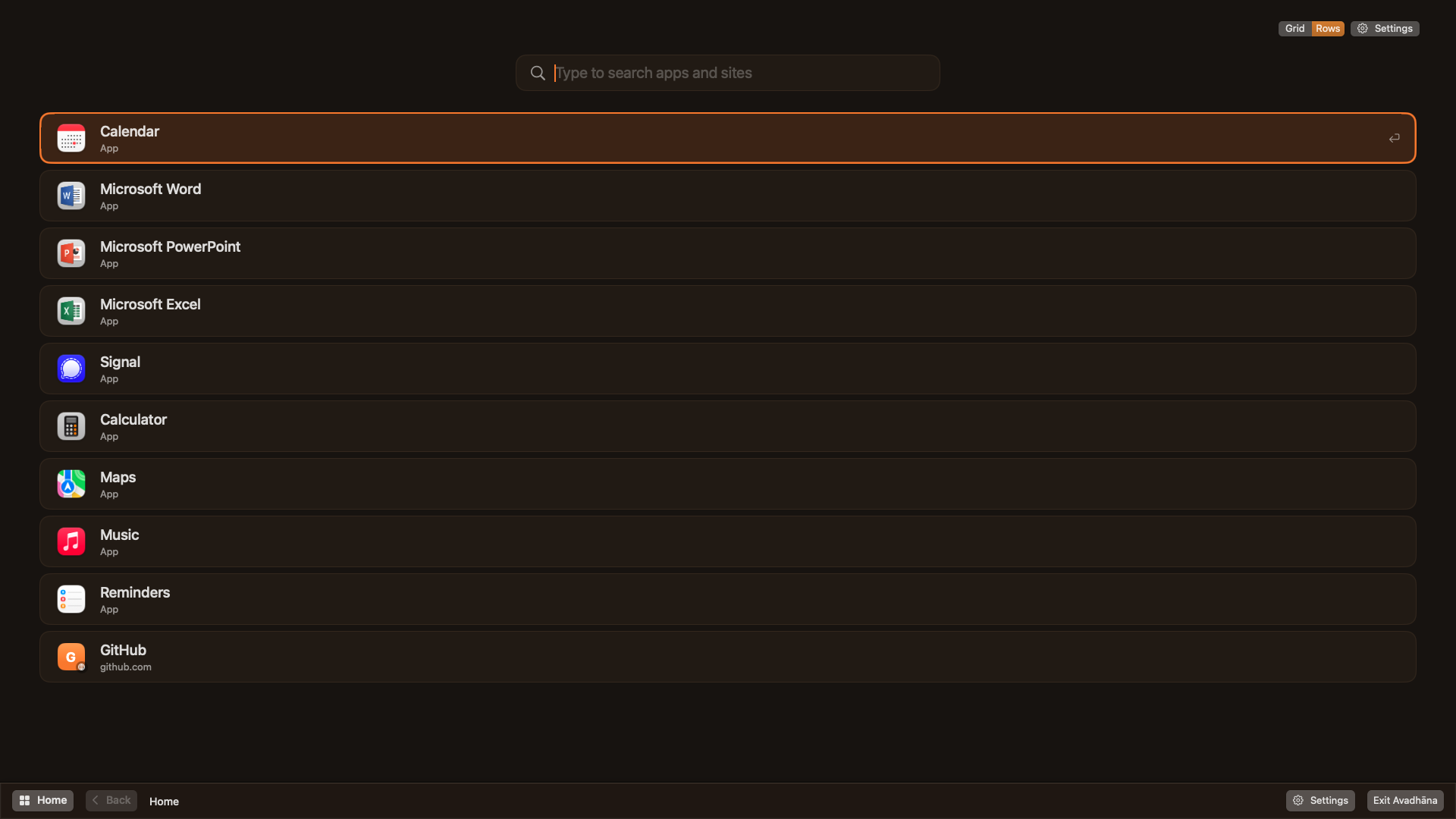
Grid or rows
- Big tiles or full-width rows
- Arrange them in any order
Exit any time
- Exit Avadhāna whenever you need to
- Everything you had open comes back
Look and feel
How it works
Choose
Add the apps and websites you need for the work in front of you.
Start Avadhāna
Your Mac becomes a quiet launcher of just those things, one at a time.
Accept permissions
Allow Accessibility access when asked, so apps can fill the screen. Questions? See the FAQ below.
Exit when you're done
The Dock comes back and the apps you had open reappear.
Download
Free, open source, and 100% auditable code. No account needed, no tracking, no ads.
- 1. Download Avadhana.dmg and open it.
- 2. Drag Avadhāna into Applications.
- 3. Open Avadhāna and allow Accessibility access when asked. This lets it size app windows to fill the screen and keep other apps out of the way.
Frequently Asked Questions
What does Avadhāna mean?
Avadhāna (अवधान) is a Sanskrit word for attention or concentration. It joins ava (down, upon) with dhā (to place): attention as something you deliberately place on one thing. That's the idea behind the app. You decide where your attention goes, and your Mac helps you keep it there, one thing at a time.
Avadhāna follows the Ahimsa design principles for non-harmful interfaces: nothing appears unless you ask for it, nothing pushes you with urgency, and you can always leave.
Why does Avadhāna need Accessibility access?
macOS only lets an app resize other apps' windows with this permission. Avadhāna uses it to make the app you open fill the screen and to keep other apps out of the way. It doesn't record what you type or what's on screen, and Avadhāna itself never sends anything anywhere.
Will it change my browser or my Mac's settings?
Sites open in a separate browser profile, so your normal browser settings, bookmarks and history aren't touched. The Dock is hidden while Avadhāna is on, and your Dock settings are restored when you exit.
What happens to apps I already had open?
They're hidden, never quit, so you won't lose any work. They reappear when you exit.
Is it on the Mac App Store?
No. App Store apps run in a sandbox that doesn't allow managing other apps' windows, which is at the heart of what Avadhāna does. Releases are signed with a Developer ID and notarized by Apple.
How can I support it?
Avadhāna is free. If it helps you, a donation supports its development and other apps like it. Bug reports and ideas are welcome on GitHub. You can also star the repository on GitHub to show your support.